Every business depends on data. Customer records, financial documents, employee information, emails, project files, and operational systems all contain information that supports daily business activities. Losing access to these files, even temporarily, can interrupt operations, affect customer relationships, and create unexpected expenses.
Imagine arriving at your office one morning to discover that an employee accidentally deleted an important folder, a computer’s hard drive failed, or ransomware made your company’s files inaccessible. Without a reliable backup strategy, recovering that information could become expensive, time-consuming, or impossible.
For businesses in Sarasota, Osprey, and surrounding Florida communities, selecting the right Data Backup Service is an important part of maintaining business continuity and protecting valuable information.
However, not all backup solutions offer the same level of protection. Some services automatically save files to the cloud, while others provide complete system backups, off-site storage, ransomware-resistant recovery options, and ongoing monitoring.
Understanding these differences can help you choose a solution that fits your company’s needs, budget, and security requirements.
Quick answer: The best data backup service for your company is one that automatically protects critical business information, encrypts stored data, maintains secure off-site or isolated copies, supports fast recovery, and regularly tests whether backups can actually be restored. Businesses should also evaluate backup frequency, recovery time, scalability, provider support, and the total cost of ownership before making a decision.
What Is a Data Backup Service, and Why Does Your Business Need One?
A Data Backup Service is a managed solution or software-based system that creates and stores additional copies of important information so that it can be restored if the original data becomes unavailable, corrupted, deleted, or compromised.
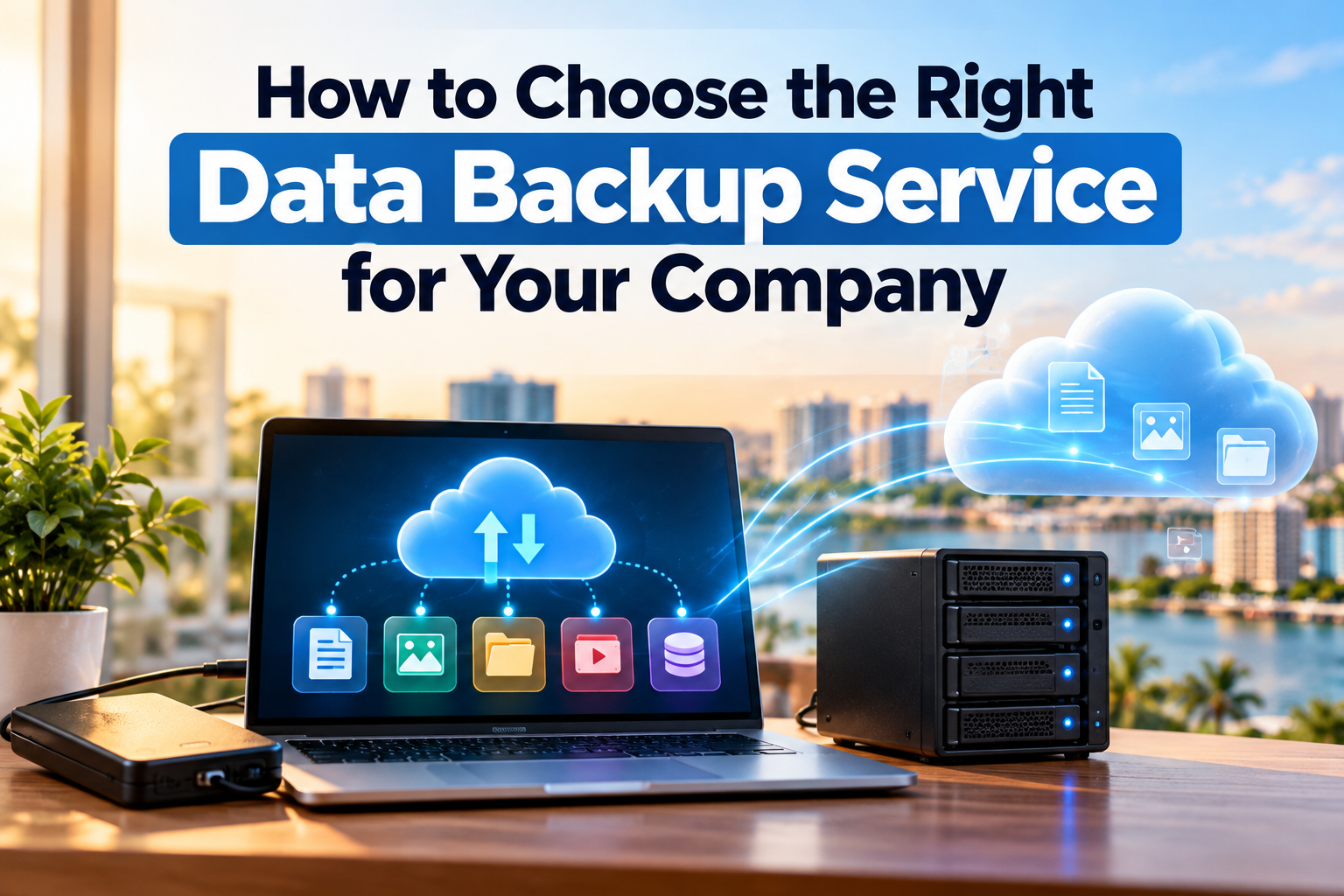
Business backup services may protect individual files, databases, email systems, servers, cloud applications, and entire computers. Depending on the service, copies can be stored locally, in secure cloud environments, at an off-site facility, or across multiple locations.
A reliable backup system helps companies recover from everyday technical problems and more serious incidents, including hardware failures, accidental deletion, software corruption, cyberattacks, and natural disasters.
For example, a Sarasota accounting firm might need to protect financial records and tax documents, while a healthcare practice in Osprey may require secure backup and recovery procedures for systems containing sensitive patient information.
Although their technical requirements differ, both organizations need dependable access to their business-critical information.
Why Data Backups Are Essential for Business Continuity
A properly designed backup strategy helps reduce the operational impact of data loss. It gives businesses a way to restore important information rather than relying entirely on the original computer, server, or storage device.
Backups are especially valuable when an organization experiences a ransomware attack. If attackers encrypt production systems, clean and protected backups may provide a recovery option without relying on the attackers.
However, having backup files does not automatically guarantee business continuity. The company must also know how quickly its systems can be restored, whether the stored information is complete, and whether the recovery process has been tested.
This is why businesses should evaluate backup services based on recoverability, not simply the amount of storage included.
Data Backup Service vs. Data Recovery Service: What’s the Difference?
Many business owners use the terms data backup and data recovery interchangeably, but they describe different functions.
A data backup service protects information before a loss occurs. A data recovery service attempts to retrieve information after data becomes inaccessible or is lost.
A backup service typically creates scheduled copies and stores them securely. A recovery specialist diagnoses a failure and attempts extraction or restoration from damaged or inaccessible media.
For example, if an employee accidentally deletes an important spreadsheet, a recent backup may allow the company to restore it within minutes.
But if a hard drive fails and no usable backup exists, the business may need a professional Data Recovery Service to assess whether the missing information can be retrieved.
Both services can play important roles in a comprehensive data protection strategy. Data recovery is not guaranteed; results depend on device condition and the cause of data loss.
7 Important Factors to Consider When Choosing a Data Backup Service
Choosing the right business data backup solution requires more than comparing monthly subscription prices. A dependable provider should understand what information your business needs to protect, how frequently that information changes, and how quickly your operations must resume after a disruption.
The following factors can help you evaluate potential providers and avoid costly gaps in protection.
1. Identify Your Company’s Critical Data
Before selecting a backup service, determine which information is essential to your business operations.
For most companies, critical data includes customer records, financial documents, employee files, business emails, accounting information, contracts, databases, and important project files.
However, not every file requires the same level of protection.
For example, a law office in Sarasota may prioritize confidential client documents and case records, while a retail business may depend more heavily on its point-of-sale system, inventory database, and transaction history.
Start by identifying which systems your employees use daily, where important information is stored, and what would happen if those systems became unavailable.
This assessment will help determine the storage capacity, backup frequency, security features, and recovery capabilities your company needs.
2. Compare Cloud, Local, and Hybrid Backup Solutions
Business data backup services generally use cloud storage, local storage, or a combination of both.
Cloud backup automatically transfers protected data to remote infrastructure. It can provide off-site protection and allow businesses to recover information when their physical office equipment becomes unavailable.
Local backup stores copies on equipment such as external drives or network-attached storage devices. Local copies may support faster recovery of large files, but they can be vulnerable to theft, equipment failure, and physical damage when stored in the same location as the original systems.
Hybrid backup combines local and cloud or off-site storage. This approach can offer both convenient local restoration and protection against incidents affecting the primary office.
For many small and medium-sized businesses, a hybrid strategy is worth considering because it reduces reliance on a single storage location.
However, the best option depends on the company’s data volume, internet connectivity, budget, security requirements, and acceptable recovery time.
3. Evaluate Security and Ransomware Protection
A data backup service should protect stored information from unauthorized access, accidental deletion, and cyberattacks.
Look for providers that support encryption, multi-factor authentication, restricted administrative access, backup monitoring, and secure retention policies.
Businesses should also consider immutable backups, which are designed to prevent stored backup versions from being changed or deleted during a defined retention period.
This matters because ransomware attackers may attempt to compromise backup systems as well as production computers.
The Cybersecurity and Infrastructure Security Agency (CISA) recommends maintaining offline, encrypted backups and regularly testing their availability and integrity.
For companies handling confidential financial, legal, or healthcare information, security requirements should be evaluated alongside applicable contractual and regulatory obligations.
4. Understand Backup Frequency and Recovery Time
One of the most important questions to ask a provider is: How much information could our company lose, and how long would it take to restore operations?
Two technical measurements help answer that question.
Recovery Point Objective (RPO) describes how far back in time a business can accept restoring its data. If your company has a four-hour RPO, its backup strategy should be designed so that no more than approximately four hours of recent data is lost in the defined recovery scenario.
Recovery Time Objective (RTO) describes the target time for restoring a system or service after an interruption.
NIST uses these measurements in contingency planning to help organizations select appropriate recovery methods.
For example, a small office that updates documents occasionally may find daily backups sufficient. A company processing transactions throughout the day may require much more frequent backups and faster restoration.
Ask your provider to explain how its proposed solution meets your actual business requirements rather than accepting a generic backup schedule.
5. Check Whether Backups Are Monitored and Tested
A backup system can appear to be working while silently failing to protect important information.
Common problems include interrupted backup jobs, insufficient storage capacity, expired credentials, corrupted backup files, and newly added systems that were never included in the backup configuration.
A professional data backup service should provide monitoring, failure alerts, reporting, and a documented testing process.
Most importantly, the provider should periodically demonstrate that protected information can be restored successfully.
NIST’s guidance for managed service providers emphasizes conducting, maintaining, and testing backups—not merely creating backup copies.
Before choosing a provider, ask how often it performs restoration tests, whether results are documented, and who is responsible for resolving failures.
6. Consider Scalability, Support, and Total Cost
Your company’s data protection needs may change as your business grows.
Adding employees, new computers, cloud applications, servers, and additional locations can increase the amount of information that must be protected.
Choose a service that can accommodate these changes without requiring an unnecessarily complicated migration.
Pricing should also be transparent.
Some providers charge based on storage capacity, number of devices, users, protected workloads, or a combination of these factors. Additional charges may apply for data transfers, long-term retention, restoration assistance, or emergency support.
A low monthly price may become less attractive if the service lacks monitoring, technical support, or practical recovery capabilities.
For businesses in Sarasota and Osprey, working with a provider that understands the local business environment and offers accessible technical assistance can be valuable when problems occur.
7. Ask About Disaster Recovery and Business Continuity
Data backup and disaster recovery are closely related, but they are not identical.
Backups provide copies of information. Disaster recovery planning addresses how the company will restore the systems, applications, connections, and processes needed to resume operations.
Consider a Florida business whose office becomes inaccessible following a major storm. Even if its files are safely stored in the cloud, employees may still need working computers, internet connectivity, software licenses, account credentials, and access to business applications.
A comprehensive recovery plan should account for those dependencies.
Your provider should be able to explain which systems would be restored first, what equipment or infrastructure would be needed, and who would coordinate recovery activities.
What Is the 3-2-1 Backup Rule?
The 3-2-1 backup rule is a widely used data protection strategy that recommends maintaining multiple copies of important information across different storage locations or media.
Maintain three copies of important data (including the original), use two different storage media or types, and keep one copy off-site.
For example, a Sarasota business might keep its original working files on an office server, maintain a local backup on separate storage equipment, and store another protected copy in a cloud environment.
For stronger ransomware resilience, at least one backup should also be appropriately isolated, offline, or immutable.
The 3-2-1 approach is a useful foundation, but it does not replace security controls, recovery planning, or regular restoration testing.
Is Cloud Storage the Same as a Data Backup Service?
No. Cloud storage and data backup can overlap, but they do not necessarily provide the same protection.
Services such as cloud file synchronization are designed primarily to make information accessible across devices and users. Depending on their configuration, deleting or modifying a file on one device may synchronize that change to other connected devices.
A dedicated backup system should offer independently retained recovery points, appropriate version history, and a way to restore information following accidental deletion, corruption, or a security incident.
Some cloud platforms provide backup and retention features, but businesses must verify how those features are configured and whether they meet their recovery requirements.
For example, storing all your company’s documents in a synchronized folder does not automatically mean you have a complete backup of your accounting database, employee email accounts, application settings, and operating systems.
When evaluating a provider, ask exactly what information is protected and what happens if an administrator account is compromised or files are accidentally deleted.
How Often Should a Company Back Up Its Data?
The appropriate backup frequency depends on how quickly your company’s information changes and how much recent work you can afford to lose.
A small consulting office may be comfortable with scheduled daily backups for certain documents. An accounting department, healthcare practice, or company processing continuous transactions may require more frequent protection.
The most effective approach is to establish an RPO for each important business system and configure backup schedules accordingly.
Businesses should also consider how long backup versions are retained. Keeping only the most recent copy may be insufficient if a problem goes unnoticed for several days or weeks.
Retention periods should reflect operational requirements, applicable legal obligations, and the possibility that corrupted or maliciously altered files may be included in recent backups.
Common Mistakes Businesses Make When Choosing a Backup Provider
One of the most common mistakes is selecting a service based solely on storage capacity or monthly price.
A company might purchase several terabytes of cloud storage but overlook whether the provider protects its databases, cloud applications, email accounts, or server configurations.
Another mistake is relying on a single external hard drive that remains permanently connected to the office computer. If ransomware compromises accessible storage or a physical incident damages the office, that backup may also be affected.
Businesses sometimes assume that successful backup notifications mean their information is recoverable. Without restoration testing, there may be no reliable way to confirm this.
Finally, some organizations purchase backup software without assigning anyone responsibility for monitoring failures, reviewing security settings, or maintaining recovery documentation.
A dependable backup strategy requires appropriate technology, clear responsibilities, and ongoing oversight.
How to Evaluate a Data Backup Service Provider: Questions to Ask
Before signing a contract, ask whether the service protects computers, servers, databases, email, and cloud applications; whether backups are automated and monitored; whether data is encrypted and access controlled; whether an offline, isolated, or immutable copy is available; what RPO and RTO are proposed; how often recovery tests are performed; how long versions are retained; what emergency support is available; whether restoration and storage charges are clearly explained; and whether the solution can grow with the business.
A provider that answers these questions clearly and documents its recommendations is better positioned to help you make an informed purchasing decision.
When Should Your Business Consider a Professional Data Recovery Service?
Even with a well-designed backup system, businesses may encounter situations where files are inaccessible, storage devices fail, or the available backups do not contain the information they need.
A professional Data Recovery Service may be appropriate when a hard drive is no longer recognized, an SSD becomes inaccessible, important files are corrupted, or data has been lost from damaged storage equipment.
The recovery process depends on the type of device, its condition, the cause of failure, and whether previous recovery attempts have changed or overwritten information.
If a storage device is physically failing, avoid repeatedly restarting it or running unverified recovery utilities. Continued use can sometimes make recovery more difficult.
For businesses facing ransomware or another cybersecurity incident, the priority may also include containing the threat and preserving evidence before attempting restoration.
Data recovery is not guaranteed. A professional assessment can help determine which recovery options may be available and what risks are involved.
Data Backup and Recovery Considerations for Sarasota and Osprey Businesses
Businesses in Sarasota County face many of the same data protection challenges as companies elsewhere, including hardware failure, accidental deletion, ransomware, and employee mistakes.
Florida’s exposure to hurricanes, severe storms, flooding, and power interruptions creates additional reasons to consider off-site backups and disaster recovery planning.
For example, a professional office in Osprey may need access to client records even if its primary building is temporarily unavailable. A Sarasota healthcare practice may require additional safeguards for systems containing protected health information. A retail company may need to restore transaction records and inventory systems before reopening.
These scenarios demonstrate why backup planning should reflect the company’s actual operations rather than relying on a one-size-fits-all storage package.
Businesses should consider their physical location, critical applications, employee access requirements, and the potential consequences of extended downtime.
Frequently Asked Questions About Data Backup Services
Click a question below to expand the answer.
What is the best data backup service for a small business?
The best service depends on the company’s data volume, security requirements, recovery objectives, and budget. Look for automated backups, encryption, protected off-site storage, monitoring, reliable support, and regularly tested restoration procedures.
How much does a business data backup service cost?
Pricing varies based on the amount of data, number of devices or users, storage retention, backup frequency, security features, and support requirements. Businesses should request an itemized quote and confirm whether recovery assistance and data transfer fees are included.
Is cloud backup safe for business data?
Cloud backup can be a secure option when properly configured with encryption, multi-factor authentication, restricted access, and suitable retention controls. Security also depends on the provider’s practices and the customer’s account configuration.
Can a backup service protect my company from ransomware?
Backups can reduce the impact of ransomware by providing recoverable copies of information. However, backups do not prevent ransomware infections or data theft. Companies also need cybersecurity controls, employee awareness, incident-response procedures, and protected recovery copies.
What is the difference between backup and disaster recovery?
Backup creates copies of information. Disaster recovery involves restoring the systems, applications, infrastructure, and business processes needed to resume operations after a disruption.
Do businesses need both local and cloud backups?
Not every company needs the same configuration, but combining local and off-site protection can reduce reliance on a single storage location. The appropriate solution depends on recovery requirements, security needs, and operational constraints.
How often should business backups be tested?
Testing frequency should reflect the importance of the protected systems and the company’s recovery objectives. Critical systems may require more frequent testing. Tests should verify that data can be restored correctly, not simply that backup jobs completed.
Can deleted business files be recovered without a backup?
Sometimes. Recovery depends on the storage device, the cause of deletion, whether the information has been overwritten, and other technical factors. A professional data recovery assessment can help determine whether retrieval may be possible.
Do healthcare businesses need specialized backup solutions?
Healthcare organizations handling electronic protected health information should evaluate backup and recovery controls against applicable HIPAA requirements, including security, access management, contingency planning, and appropriate safeguards. A general-purpose backup subscription does not automatically establish compliance.
Where can I get professional data recovery services in Sarasota or Osprey, FL?
Jeff Computers provides data recovery and IT support services for customers in Osprey, Sarasota, and nearby Florida communities. Businesses experiencing lost or inaccessible data can contact the team to discuss their situation and available recovery options.
Protect Your Business Data with Jeff Computers in Sarasota & Osprey, FL
Choosing the right data backup service is an investment in your company’s security, productivity, and long-term resilience. The right solution should help protect critical information, reduce avoidable downtime, and provide a practical recovery path when unexpected problems occur.
But business data protection involves more than selecting cloud storage.
Your computers, servers, security systems, backup processes, and recovery procedures all need to work together.
Jeff Computers provides professional IT support, managed IT services, cybersecurity protection, and data recovery services for businesses in Osprey, Sarasota, and surrounding Florida communities.
Whether your business needs guidance on protecting important information, assistance with its existing IT environment, or professional help after a data loss incident, Jeff Computers can help you evaluate the next steps.
Lost Important Business Data? Need Better Data Protection? Don’t wait until a failed hard drive, accidental deletion, or cyberattack disrupts your operations. Contact Jeff Computers to discuss your business’s data protection, IT support, and data recovery needs.
Call (941) 263-0705 or visit Jeff Computers.
Authoritative Resources
For further reading, see CISA’s ransomware guide and NIST’s contingency planning guide.